Products are selected by our editors, we may earn commission from links on this page.
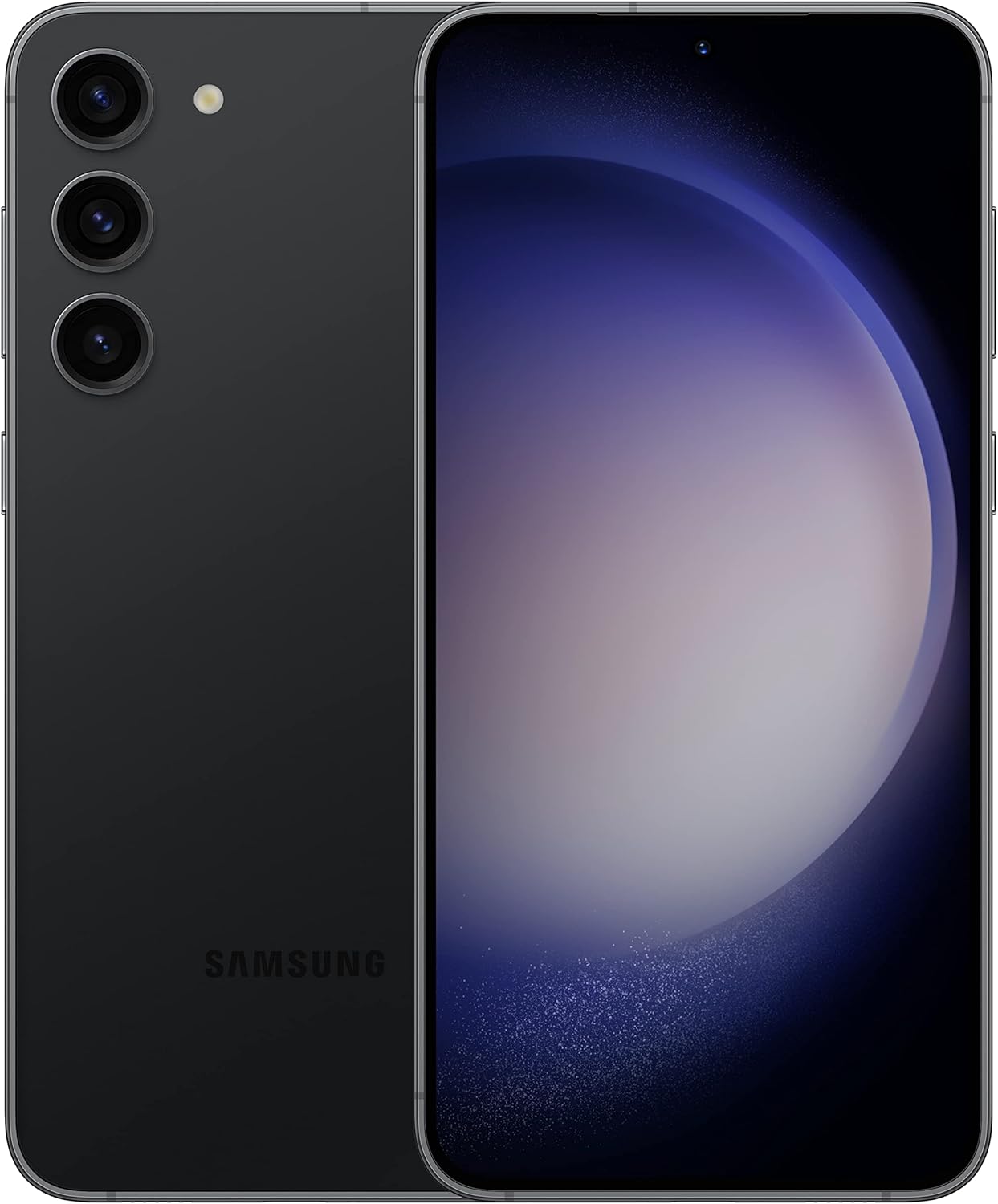
The Galaxy S23 is a high-end smartphone from Samsung that offers a range of advanced features, including a high-quality camera, fast processor, and long-lasting battery life. The phone also features a large, vibrant display and supports 5G connectivity, making it a popular choice for users who demand the latest technology.
Despite its many advanced features, the Galaxy S23 can sometimes experience common issues that can impact its performance. Some of the most common issues reported by users include slow performance, battery drain, and issues with connectivity. Other issues may include problems with the camera, such as blurry or distorted images, or issues with software updates.
To troubleshoot these issues, users can try a range of solutions, including clearing cache and data, updating software, and restarting the device. In some cases, users may need to reset the device to factory settings or seek assistance from a professional technician.
If you notice that your Galaxy S23’s battery is draining too fast, there are a few steps you can take to troubleshoot the issue. Firstly, check which apps are consuming the most battery by going to Settings > Battery > Battery Usage. You can then close these apps or uninstall them if they’re not necessary. Another common cause of battery drain is having too many widgets or live wallpapers on your home screen. Try removing them and see if that helps. You can also turn on power-saving mode or ultra power-saving mode to extend your phone’s battery life. If none of these steps work, it may be time to replace your battery.
If your Galaxy S23 is not charging or charging very slowly, there are a few things you can check. Firstly, make sure that the charging cable and adapter are properly connected and not damaged. Try using a different cable or adapter to see if that helps. You can also check if there’s any dirt or debris in the charging port, which can prevent the cable from making a strong connection. If you’re still having issues, try restarting your phone or putting it into safe mode to see if it’s a software issue. If none of these steps work, it may be time to get your charging port or battery replaced.
If you’re experiencing Wi-Fi connectivity issues with your Galaxy S23, there are a few things you can try to troubleshoot the problem. First, make sure you’re within range of your Wi-Fi network and that the network is working properly. You can also try resetting your network settings or restarting your phone. If these steps don’t work, you may need to forget the Wi-Fi network and reconnect to it, or even perform a factory reset on your phone.
Bluetooth connectivity issues can be frustrating, but there are some simple steps you can take to troubleshoot the problem. First, make sure your phone and the device you’re trying to connect to are both in pairing mode. If that doesn’t work, try resetting your network settings or restarting your phone. You can also try forgetting the device and reconnecting to it, or even clearing the cache partition on your phone. If none of these steps work, you may need to perform a factory reset on your phone.
If your Galaxy S23 is running slow, there are a few things you can try to improve its performance. First, check if there are any updates available for your phone’s software. Sometimes, updates can fix bugs and improve overall performance. You can also try clearing the cache partition by following these steps: turn off your phone, press and hold the volume up, power, and Bixby buttons until the Samsung logo appears, use the volume buttons to navigate to “Wipe Cache Partition,” and press the power button to select it. Another option is to disable any unused apps or bloatware that may be running in the background and using up resources. You can do this by going to Settings > Apps and selecting the app you want to disable.
If your apps are freezing or crashing on your Galaxy S23, there are a few troubleshooting steps you can take. First, try clearing the cache and data for the affected app. You can do this by going to Settings > Apps and selecting the app, then tapping on “Storage” and selecting “Clear Cache” and “Clear Data.” If that doesn’t work, try uninstalling and reinstalling the app. You can also try restarting your phone or checking for any available software updates. If the problem persists, it may be worth contacting the app developer for support.
If you’re experiencing issues with your Galaxy S23 Ultra 5G S9180 camera, there are a few troubleshooting steps you can take. First, try clearing the camera app’s cache and data in your phone’s settings. If that doesn’t work, try restarting your phone or even performing a factory reset. If the issue persists, it may be a hardware problem and you should contact Samsung customer support for further assistance.
Display issues can be frustrating, but there are some simple fixes you can try before seeking professional help. If you’re experiencing screen flickering, try adjusting your phone’s brightness settings or disabling automatic brightness. If the issue continues, check for any software updates or try clearing your phone’s cache partition. If you’re facing a black screen, try holding down the power button for 10-15 seconds to force a restart. If that doesn’t work, it may be a hardware issue and you should contact Samsung customer support.
If your Galaxy S23 is experiencing issues, the first step is to restart the device. Hold down the power button until the phone turns off, then turn it back on. If this does not resolve the issue, try a soft reset by holding down the power button and the volume down button for 10 seconds. If the problem persists, a factory reset may be necessary. Go to Settings > General Management > Reset > Factory Data Reset. Be sure to backup your data before resetting the device.
If the issue persists after restarting and resetting the device, it may be time to contact customer support or seek professional help. Samsung offers support through their website, over the phone, and in-person at their stores. You can also search for authorized repair centers in your area. If your device is still under warranty, repairs may be covered, but be sure to check the terms and conditions.
Başarılı platformlarda dikkat çeken ödüllerle merit king fırsatları değerlendiriliyorÖdül Sistemlerinin Önemi ve ÇeşitliliğiÖdül Programlarının Kullanıcı…
Başarıların zirvesinden yenilikçi bakış açısıyla merit king deneyimi sunan stratejilerBaşarıya Yönelik Stratejik Planlama ve Hedef…
Estrategias ganadoras para apostar con betsson y maximizar tus beneficios potencialesAnálisis Profundo de los Mercados…
Estrategias efectivas para maximizar tus ganancias con betsson app y apuestas deportivas segurasEstrategias de Apuestas…
Göz alıcı kombinasyonlar ve Sweet Bonanza ile kazançlı bir deneyim sunan ipuçları nelerdirSweet Bonanza'nın Temel…
Göz alıcı grafiklere sahip Sweet Bonanza dünyası, kazanç dolu anlar sunuyor deneyimleSweet Bonanza Oyununun Temel…