


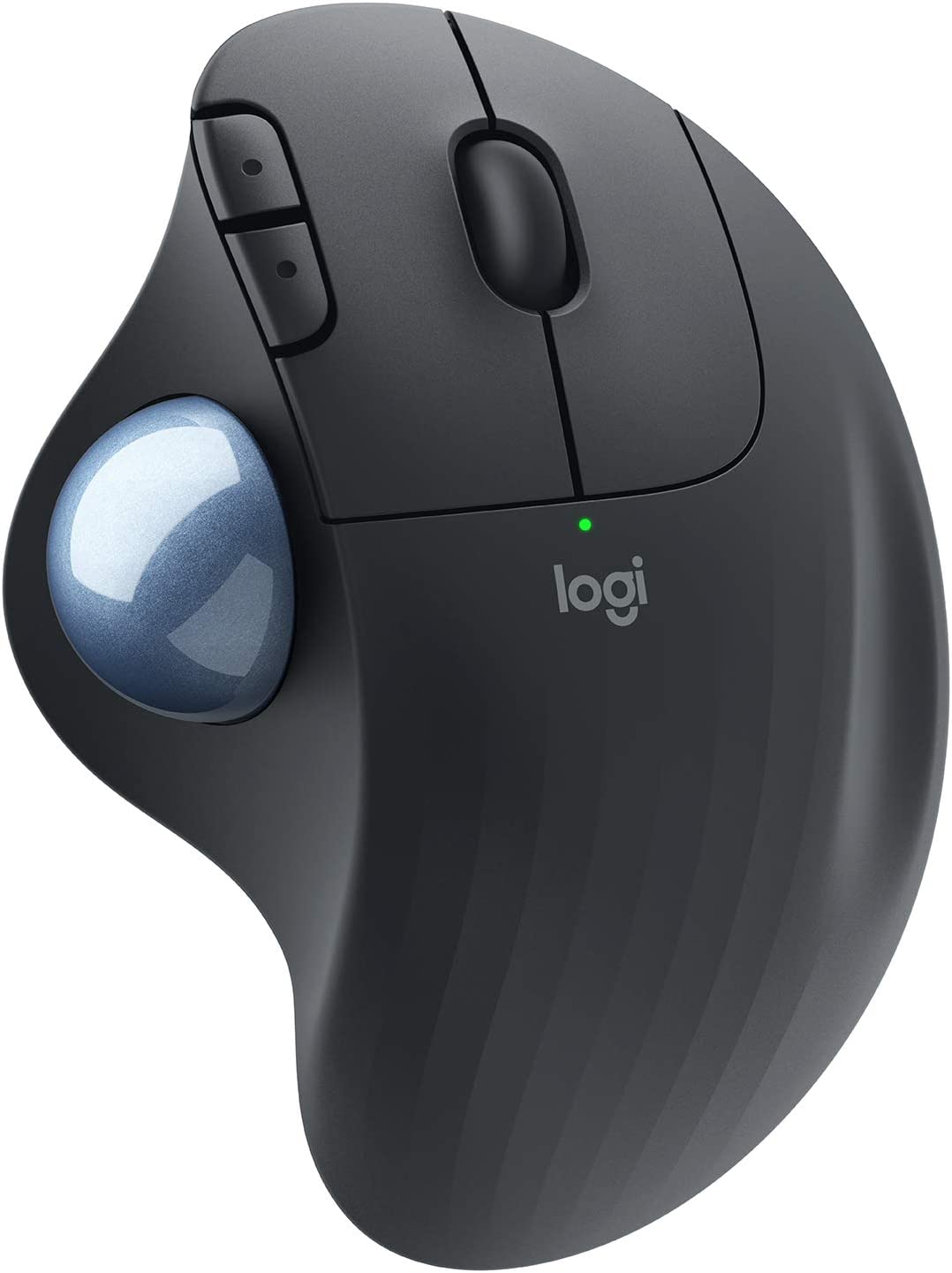
Are you looking for a mouse that can provide you with comfortable, precise, and efficient control? If so, you might want to check out the Logitech ERGO M575 Wireless Trackball Mouse.
I have been using the Logitech ERGO M575 Wireless Trackball Mouse for over a month now, and I must say, it has been a game-changer for me. As someone who spends hours on the computer, I used to suffer from carpal tunnel syndrome and wrist pain, but this mouse has helped me alleviate those issues. Its ergonomic design offers a relaxed hand and arm position, reducing the strain on my wrist and fingers. The thumb control is smooth, precise, and works on any surface, which is perfect for tight workspaces. I can easily switch between documents and websites with the back/forward buttons and the precision scroll wheel.
Ergonomic Design for Comfortable Use

The Logitech ERGO M575 Wireless Trackball Mouse features a comfortable, sculpted ergonomic design that naturally fits the hand, providing a relaxed experience for the user. This design is perfect for people who suffer from carpal tunnel or arthritis, as it helps to reduce pain and strain caused by repetitive movements. With Logitech ERGO M575, you can work for long hours without feeling any discomfort, and this is one of the product’s most significant selling points.
Smooth and Precise Tracking

The Logitech ERGO M575 Wireless Trackball Mouse comes with smooth thumb control, which provides precise and smooth tracking on any surface. The cursor speed can be adjusted with the Logitech Options software, which allows for easy customization of the product to meet personal preferences. This feature is a remarkable addition to the Logitech ERGO M575, as it ensures that users can work with ease and accuracy.
Perfect for Tight Workspaces

The Logitech ERGO M575 Wireless Trackball Mouse is perfect for tight workspaces and busy desks since the trackball doesn’t move. This feature means that users can work in small and crowded spaces without worrying about moving the mouse around. This product is an excellent solution for people who work in a small office or those who have limited desk space.
Convenient Controls

The Logitech ERGO M575 Wireless Trackball Mouse comes with large, easy-to-reach back/forward buttons and a precision scroll wheel, making it easy to move between documents or browse favorite websites. This product’s convenient controls are a significant selling point, as they provide quick access to essential features that make working more comfortable and more efficient.
Multi-OS and 2 Ways to Connect

The Logitech ERGO M575 Wireless Trackball Mouse can connect with Bluetooth or the USB receiver, making it versatile and multi-OS. With a range of up to 33ft (10m), users can work comfortably without worrying about drop-offs or lag. The product’s multi-OS feature ensures that users can work with it on any platform, whether Windows, PC, or Mac, with ease.
Environmentally Conscious Design

The Logitech ERGO M575 Wireless Trackball Mouse is made with environmentally conscious design. The plastic parts in the product include post-consumer recycled plastic (Graphite/Black – 50%, Off-White – 21%). The product also uses FSC-certified paper for responsible packaging. This environmentally conscious design is a remarkable addition to the Logitech ERGO M575, as it shows that the brand is committed to sustainability and eco-friendliness.
Pros:
- The Logitech ERGO M575 Wireless Trackball Mouse has an ergonomic design that provides relaxed hand and arm support, making it comfortable to use for extended periods.
- The trackball allows for smooth thumb control and precise tracking, making it great for cursor control on any surface.
- It is ideal for tight workspaces since the trackball doesn’t move, which makes it perfect for busy desks.
Cons:
- The mouse lacks a DPI switch, which means that the resolution is static, and users cannot adjust it.
- The left click actuators tend to wear out quicker than expected, causing missed clicks or dual clicks.
- The receiver for the wireless functionality is in the battery compartment, which could be inconvenient if users need to switch batteries frequently.
Conclusion
Overall, I would highly recommend the Logitech ERGO M575 Wireless Trackball Mouse, especially if you suffer from carpal tunnel or wrist pain. Its comfortable, ergonomic design, precise thumb control, and multi-OS connectivity make it a great investment. Plus, its long battery life and eco-friendly construction are added bonuses. Give it a try, and you won’t be disappointed.
Questions & Answers:
Question: Is the Logitech ERGO M575 Wireless Trackball Mouse easy to set up?
Answer: Yes, the mouse is effortless to set up. Users can connect it to their computer through Bluetooth or the USB receiver, and the software will automatically install.
Question: How long does the battery last?
Answer: One AA battery can last up to 24 months with the USB receiver. However, the battery life could still be a concern for some users.
Question: Is the Logitech ERGO M575 Wireless Trackball Mouse suitable for people with carpal tunnel or arthritis?
Answer: Yes, the ergonomic design of the mouse provides relaxed hand and arm support, making it comfortable for people with carpal tunnel or arthritis to use for extended periods. Furthermore, users have reported that it helped relieve their wrist pains.
