


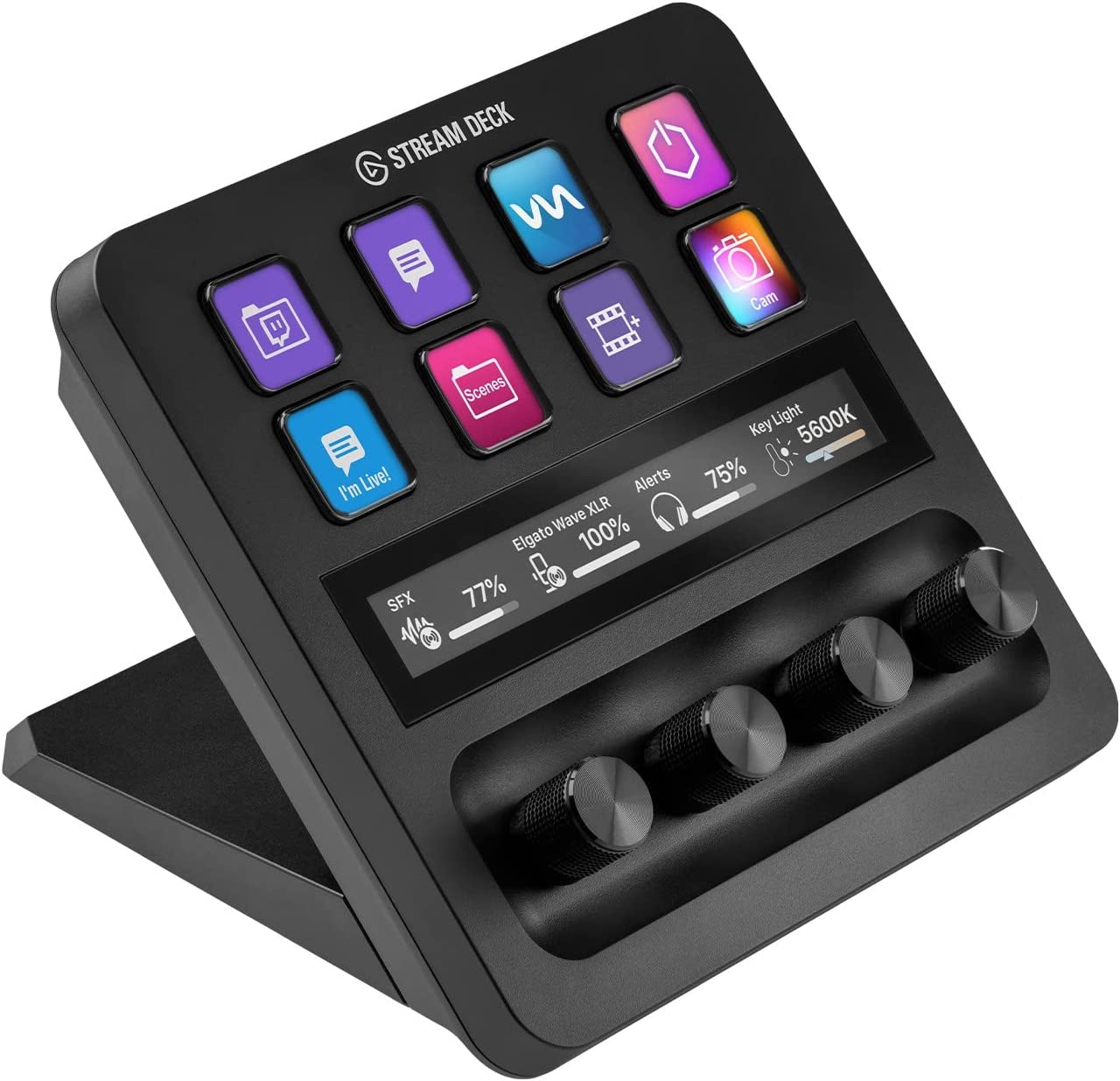
As a content creator, I’m always on the lookout for tools that can make my work easier and more efficient. That’s why I decided to try out the Elgato USB-C Stream Deck +. With customizable touch strip dials and LCD keys, this production console promised to be a game-changer for content creators like me.
Using the Elgato Stream Deck + has been a game-changer for me. Setting it up was easy, and I was able to customize it to suit my needs. I particularly love the touch strip dials, which make it easy to adjust audio levels and lighting on the fly. The LCD keys are also a great feature, as they provide visual feedback that lets me know when my commands have been executed.
One challenge I faced was when I copied my existing settings from my old Stream Deck to the new one, and it did not move the features that wouldn’t fit the number of programmed buttons from the old unit to the new. However, the problem was easy enough to solve by copying the remaining buttons onto new pages.
Tactile Control and Visual Feedback

One of the key aspects of the Elgato USB-C Stream Deck + is its tactile control and visual feedback system. The unit features LCD keys, touch strip, and dials that provide instant feedback when an action is executed. The touch strip allows for easy control of audio, video, lighting, and more. The dials on the Stream Deck make it easy to adjust settings, and the physical knobs provide more precise control over volume levels. With the Stream Deck +, you will always know when a command has been executed, making it easy to stay in control of your content creation and streaming.
Fully Customizable

The Elgato USB-C Stream Deck + is a fully customizable device that can be used as an audio mixer, studio controller, production console, and much more. With multi-actions and smart profiles, you can trigger multiple actions at once or sequentially, and automatically switch between interface configurations for different apps. The Stream Deck + also features powerful plugins like Elgato Wave Link, Camera Hub, Control Center, OBS, Twitch, YouTube, Twitter, Discord, Spotify, Philips Hue, and many more. The Stream Deck App and Store make it easy to drag and drop setup, download plugins, icons, thousands of royalty-free tracks, SFX, and more. Regular updates and new plugins are frequently added to the Stream Deck App and Store.
Great Build Quality

The Elgato USB-C Stream Deck + is a robust device with great build quality. The built-in stand is a nice addition that provides a stable base for the unit. The buttons on the Stream Deck + have a nice feel to them, and the dials have a distinctive click that makes it easy to know when you are rotating through a possible choice. The stacking feature is amazing and really helps out when you want to raise volume on more than one sound input or output. Overall, the build quality of the Stream Deck + is excellent, making it a reliable device for content creators and streamers.
Squishy Buttons

While the Elgato USB-C Stream Deck + is a solid and well-designed unit, it does have some issues. One of the main complaints is that the buttons are a bit squishy. This can make it difficult to tell when a button has been pressed, and it can be frustrating for users who are used to more tactile feedback. However, the volume-like buttons are well-built and provide nice feedback for small adjustments. Additionally, the touch screen works great and allows for fast navigation between pages, which can be very useful for streamers and content creators who need to switch between apps quickly.
Needs More Plug-Ins

One of the main drawbacks of the Elgato USB-C Stream Deck + is that there aren’t enough plug-ins currently available. While the Stream Deck App and Store make it easy to download plugins, icons, and other content, some users have reported that they are still waiting for specific plug-ins to become available. This can be frustrating for users who need to use certain apps or software that don’t have plug-ins available yet. However, Elgato is constantly updating the Stream Deck App and Store, and new plugins are added frequently, so this issue may be resolved in the near future.
Innovative Touchscreen Features

The Elgato USB-C Stream Deck + features innovative touchscreen features that add a whole new arsenal of options for customization and use. The touch screen is very responsive and allows for fast navigation between pages, allowing users to do things faster. The knobs on the Stream Deck + are also a great addition, providing more precise control over volume levels and other settings. While some users have reported issues with the unit, such as squishy buttons and limited plug-ins, the Stream Deck + is still a highly recommended device for content creators and streamers who need a reliable and customizable tool for their work.
Pros:
- Fully customizable with touch strip dials and LCD keys for audio, video, lighting, and more.
- Multi-actions and smart profiles allow for triggering multiple actions at once or sequentially.
- Powerful plugins including Elgato Wave Link, Control Center, OBS, and many more.
Cons:
- Some users experienced issues with software and black screens.
- Squishy buttons and not as premium feeling as expected.
- Limited support for third-party plugins.
Conclusion
Overall, I highly recommend the Elgato USB-C Stream Deck + to any content creator looking for a tool that can make their work easier and more efficient. The customizable touch strip dials and LCD keys are a great feature, and the ability to use it as an audio mixer, studio controller, or production console makes it a versatile tool. Although there are some challenges, the benefits outweigh them. This product is a game-changer for content creators.
Questions & Answers:
Question: Can the Elgato USB-C Stream Deck + be used for non-streaming purposes?
Answer: Yes, it can be used for audio and video production, as well as controlling various applications and programs.
Question: Are there any pre-configured packs available for the Elgato Stream Deck +?
Answer: Yes, there are pre-configured packs available for purchase which can save a lot of time in programming the device.
Question: Is the Elgato Stream Deck + compatible with both Mac and PC?
Answer: Yes, the device can be used with both Mac and PC systems.
