



Understanding Bose Wireless Headphones
Understanding Bose Wireless HeadphonesBose wireless headphones are known for their exceptional sound quality and convenience. These headphones utilize Bluetooth technology to connect wirelessly to your devices, allowing you to enjoy your favorite music or podcasts without the hassle of tangled wires. They offer a range of features such as noise cancellation, water resistance, and voice control, depending on the model. Bose wireless headphones are designed to provide a comfortable fit for extended wear, with adjustable headbands and cushioned ear cups. It is important to familiarize yourself with the specific features and controls of your Bose wireless headphones to optimize your listening experience.
Importance of Troubleshooting
Importance of TroubleshootingTroubleshooting is an essential skill when it comes to resolving common issues with Bose wireless headphones. By troubleshooting, you can identify and fix problems such as connectivity issues, sound quality problems, or charging difficulties. Troubleshooting can save you time and money by avoiding unnecessary repairs or replacements. It can also help you maximize the lifespan of your headphones and ensure that you are getting the best performance out of them. Some common troubleshooting steps include resetting your headphones, checking for software updates, and ensuring proper connectivity with your devices. By taking the time to troubleshoot, you can quickly resolve issues and continue enjoying your Bose wireless headphones.
Basic Troubleshooting Steps for Bose Wireless Headphones
Connection Issues
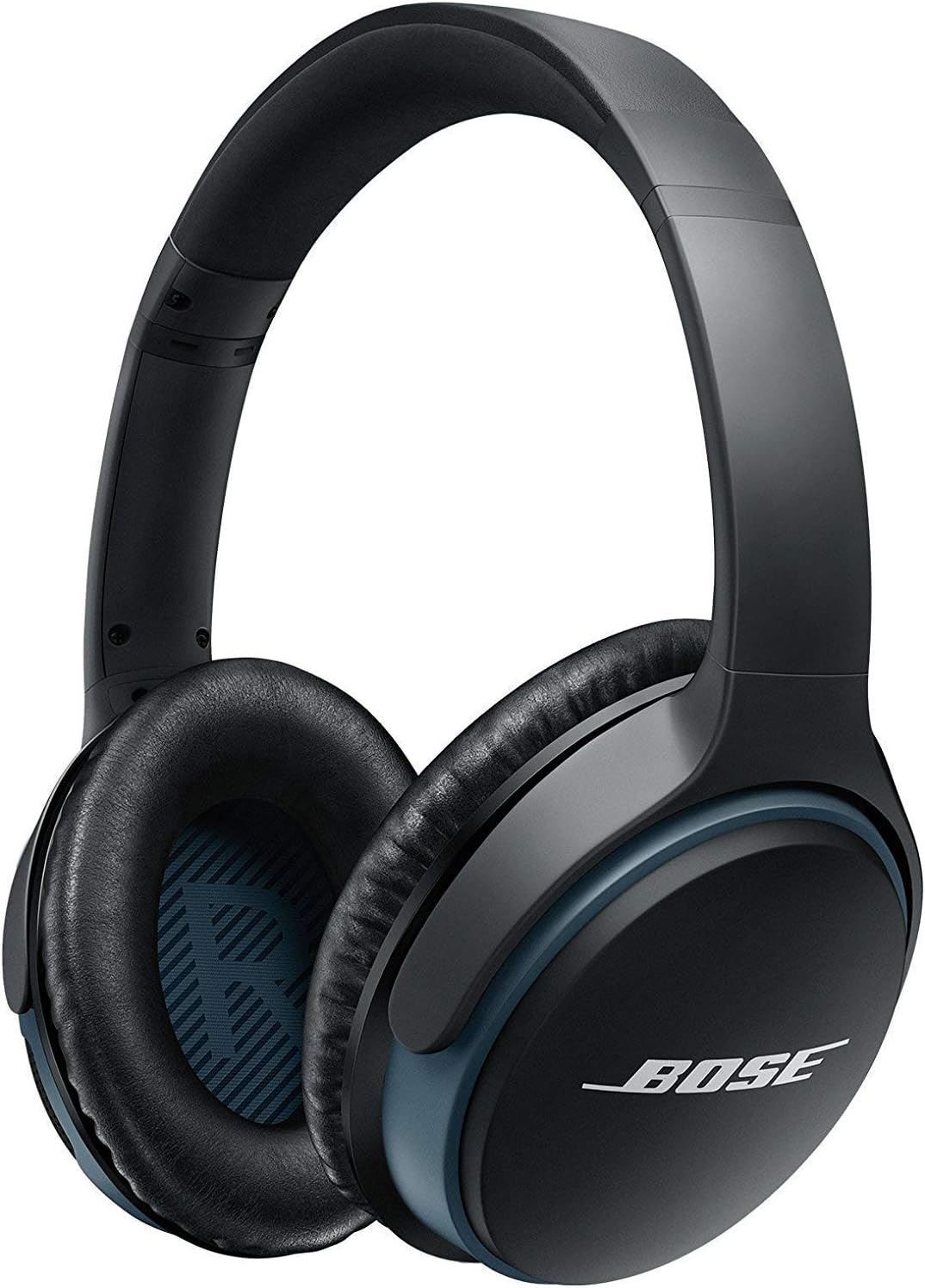
When troubleshooting connection issues with Bose wireless headphones, there are a few steps you can take to resolve the problem. First, ensure that your headphones are in pairing mode and that Bluetooth is enabled on your device. If you are still unable to connect, try resetting the headphones by turning them off and on again or performing a factory reset. It’s also helpful to update the firmware of your headphones and the Bluetooth software on your device to ensure compatibility. If the issue persists, try connecting the headphones to a different device to determine if the problem lies with the headphones or the original device. Lastly, check for any interference from other wireless devices or obstacles that may be blocking the Bluetooth signal.
Sound Quality Problems
If you’re experiencing sound quality problems with your Bose wireless headphones, there are a few troubleshooting steps you can take. First, check the audio source to ensure it is not the cause of the issue. Adjust the volume on both your device and the headphones to ensure they are balanced. If the sound is distorted or muffled, try cleaning the ear cups and drivers of the headphones to remove any debris that may be affecting the audio quality. It’s also worth checking the equalizer settings on your device to ensure they are optimized for the headphones. If the problem persists, try connecting the headphones to a different device to determine if the issue is with the headphones or the original device. If all else fails, contacting Bose customer support may be necessary for further assistance.
Battery and Charging Issues
Battery Drain Issues
One common issue faced by Bose wireless headphone users is battery drain. If you find that your headphones are not holding a charge for as long as they used to, there are a few troubleshooting steps you can try. Firstly, make sure that your headphones are fully charged before use. If the battery drain issue persists, try resetting your headphones by turning them off and then on again. Additionally, check for any firmware updates for your headphones and install them if available, as these updates often include fixes for battery-related issues. If the problem continues, it may be worth contacting Bose customer support for further assistance.
Charging Problems
Another common issue with Bose wireless headphones is charging problems. If you are experiencing difficulties charging your headphones, start by checking the charging cable and ensure it is securely connected to both the headphones and the power source. Try using a different charging cable or power source to rule out any issues with them. Also, inspect the charging port on your headphones for any debris or damage that may be obstructing the connection. If none of these steps resolve the charging problem, reach out to Bose customer support for further guidance and potential repair options.
Firmware and Software Updates for Bose Wireless Headphones

Firmware Update Process
If you are experiencing issues with your Bose wireless headphones, one of the first troubleshooting steps you can take is to check if your firmware is up to date. Firmware updates can often resolve various problems and improve the overall performance of your headphones. To update the firmware, you will need to download the Bose Connect app on your smartphone or tablet. Once installed, open the app and connect your headphones. If a firmware update is available, the app will prompt you to install it. Ensure that your headphones are charged sufficiently and connected to a stable internet connection during the update process. By keeping your headphones’ firmware up to date, you can ensure that you are benefiting from the latest enhancements and bug fixes provided by Bose.
Software Compatibility Issues
Another common issue with Bose wireless headphones can be software compatibility problems. Sometimes, certain devices may not be fully compatible with the headphones, resulting in connectivity or performance issues. To troubleshoot this, first, make sure that your headphones are compatible with the device you are using. Check the specifications and supported devices mentioned on the Bose website. If compatibility is not the issue, try updating the software on both your headphones and the device you are using. This can often resolve any compatibility conflicts. If the problem persists, try connecting your headphones to a different device to see if the issue is specific to one device or a general problem. If necessary, reach out to Bose customer support for further assistance in resolving compatibility issues.
Physical Troubleshooting
Contacting Bose Support for Assistance with Bose Wireless Headphones
Online Support Resources
When you encounter any issues with your Bose wireless headphones, the first step is to explore the online support resources provided by Bose. Their official website offers a wealth of information that can help you troubleshoot and resolve common problems. You can find detailed user manuals, FAQs, and troubleshooting guides specifically tailored to your model of wireless headphones. These resources cover a wide range of topics, including connectivity issues, audio problems, and software updates. Additionally, Bose has an online community forum where you can interact with other users and seek advice or solutions for specific issues. By utilizing these online support resources, you can often find the answers you need to fix any problems with your Bose wireless headphones efficiently.
Warranty and Repair Services
If your Bose wireless headphones require more extensive assistance, you can take advantage of their warranty and repair services. Bose provides a limited warranty for their products, which typically covers manufacturing defects and malfunctions. If your headphones are within the warranty period, you can contact Bose’s customer support to initiate a repair or replacement process. They will guide you through the necessary steps and provide instructions for shipping your headphones to their service center. For out-of-warranty repairs, Bose offers paid repair services where their expert technicians can diagnose and fix any issues with your headphones. Whether it’s a faulty component or physical damage, their repair services ensure that your Bose wireless headphones are restored to optimal functionality. Remember to check the warranty terms and conditions on the Bose website for specific details and eligibility criteria.
